Home Company Products Catalog Blog Contact 0216 364 02 10
MBC-24 Rs485 Modbus Ethernet Converter - akytec-mbc-24-rs485-ethernet-modbus-cevirici.webp

MBC-24 Rs485 Modbus Ethernet Converter

What Is the Akytec MBC-24 RS-485 Modbus Ethernet Converter?

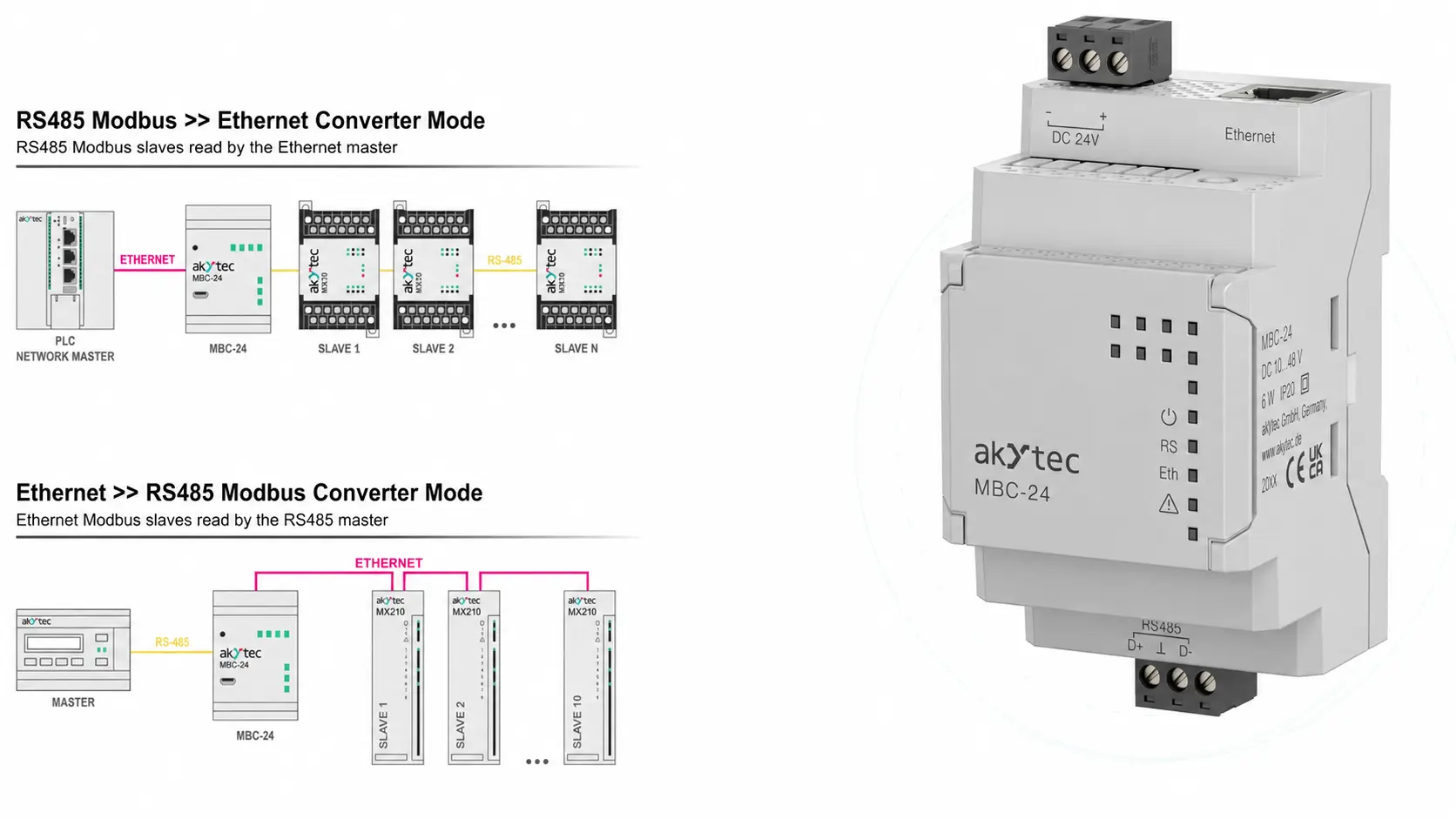
The MBC-24 is a communication converter that provides bidirectional data conversion and transmission between Modbus RTU/ASCII and Modbus TCP protocols. By establishing a connection between RS-485 and Ethernet networks, it enables Modbus devices to be integrated into different communication infrastructures.

The MBC-24 can be used in two different operating configurations:

  • It can operate as a Master on the Ethernet network and as a Slave on the RS-485 network. In this configuration, up to 32 Slave devices on the RS-485 line are supported without using a repeater.
  • It can operate as a Master on the RS-485 network and as a Slave on the Ethernet network. In this configuration, it can communicate with up to 31 Slave devices on the Ethernet network.

Thanks to these features, it can be used to connect PLCs, HMIs, SCADA systems, remote I/O modules, energy analyzers, sensors, and other Modbus devices to Ethernet-based automation systems.

Model MBC-24
Port 1

RS-485

  • Protocol: Modbus RTU, Modbus ASCII
  • Baud Rate: 1200, 2400, 4800, 9600, 19200, 38400, 57600, 115200 bps
  • Maximum Cable Length: 1200 meters
  • Number of Slave Devices: max. 32
Port 2

Ethernet

  • Protocol: Modbus TCP/IP
  • Speed: 10/100 Mbps
  • Connector: RJ45
  • Number of Slave Devices: max. 31
Port 3

USB

  • USB 2.0 (micro-USB)
  • Used for device configuration.
  • Settings are configured using Akytec ToolPro software.
   
Power Supply

24 VDC

  • 10...48 VDC
Physical Specifications
  • DIN Rail Mounting
  • Dimensions: 55 x 96 x 58 mm
  • IP20 Protection Rating
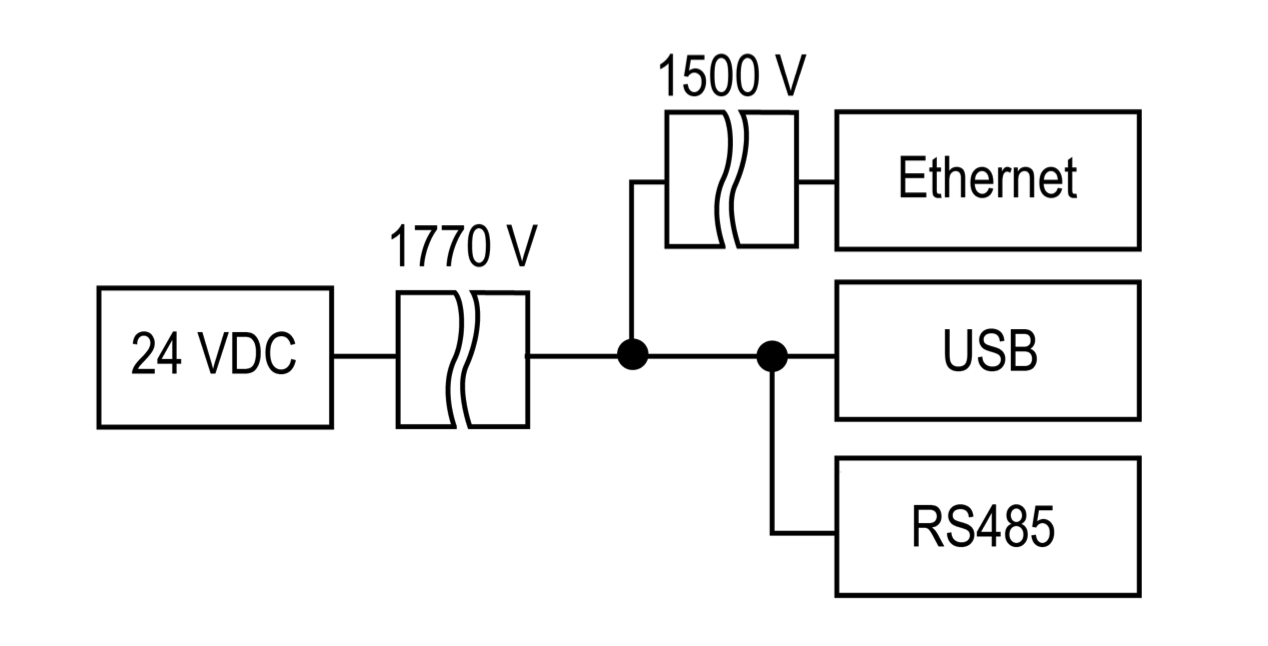
Isolation
Operating Conditions
  • -40...+55 °C
  • 10...95% RH (non-condensing)
novus-airgate-modbus-kullanma-kilavuzu-2.jpg
Download
novus-airgate-modbus-kullanma-kilavuzu-2.jpg
Download
Demo software downloads will be activated by filling out the form.
Now you can download the following software suitable for you. After clicking the button, the download link of the software will be sent to your e-mail address.
WhatsApp
×
Demo of this product is available.

You can download the free demo to try this product. To access the download form click.