Home Products Blog Contact Catalog Company 0216 364 02 10
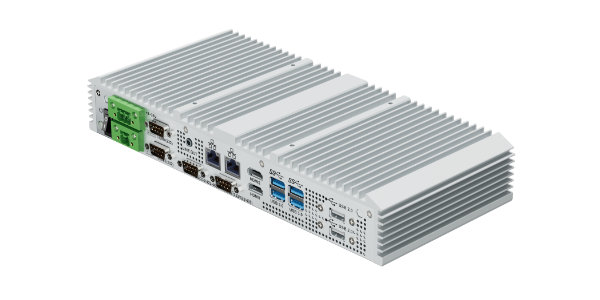
GW-01 Multi Protocol Gateway - protocol-gateway.webp

GW-01 Multi Protocol Gateway

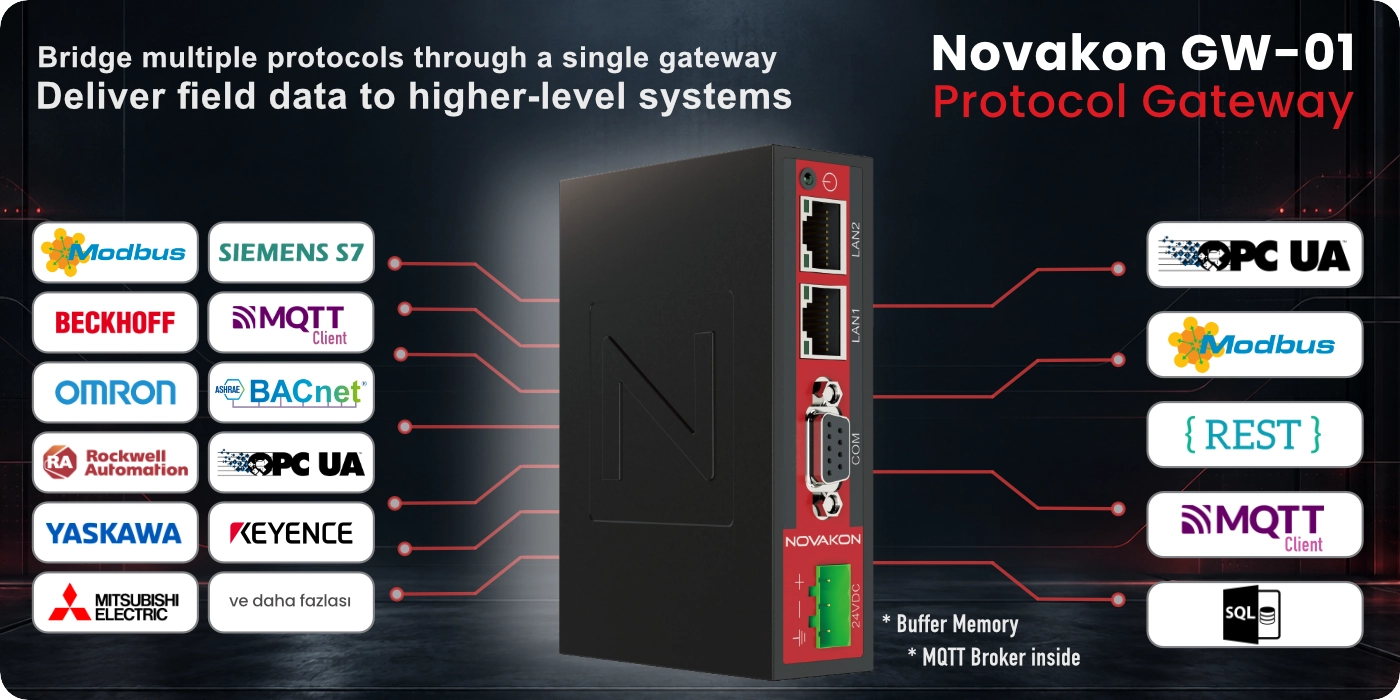
Novakon GW-01 is a multi-protocol industrial gateway that collects data from different PLCs, controllers, and field devices and transfers it to higher-level systems through modern OT / IT protocols such as OPC UA, MQTT, REST, and SQL.

It can integrate various communication sources such as Modbus, PROFINET, PROFIBUS, Beckhoff, Omron, Keyence, BACnet, OPC UA Client, and MQTT Client on a single platform. With two independent Ethernet ports and serial communication interfaces, it enables seamless connectivity between field networks and SCADA, MES, IIoT, and database systems.

Multi-Protocol Gateway OPC UA Server + HA MQTT Client + Broker REST · SQL 2× Ethernet Web Configuration
MULTI-PROTOCOL GATEWAY

Integrate different field protocols in a single gateway.

Novakon GW-01 collects data from PLCs, controllers, and field devices operating with different brands and protocols, and converts this data into standard communication methods that can be used by modern OT / IT systems.
Novakon GW-01 Protocol Gateway
FIELD & PLC SIDE
Collect data from different devices

PLCs and controllers from different manufacturers, as well as serial or Ethernet-based field devices, can be integrated into the system through a single gateway.

Modbus PROFINET PROFIBUS Beckhoff OPC UA Client MQTT Client Omron Keyence BACnet
NOVAKON GW-01
Protocol Conversion and Data Bridge

It combines data from different communication sources at a single point, converts it, and shares it through standard data structures that can be used by higher-level systems.

BUILT-IN
MQTT Broker
OT / IT SIDE
Transfer data to higher-level systems

Collected field data can be transferred to SCADA, MES, IIoT, database, or custom software systems through standard interfaces.

OPC UA Server + HA MQTT Client Modbus TCP/IP Server REST SQL Server SQL Client
Integrate different protocols in a single gateway
GW-01 enables data from different protocols and manufacturers to be collected within a single gateway, helping reduce the need for separate protocol converters and complex interconnections.
2× INDEPENDENT ETHERNET
Separate two different networks
The two Ethernet ports on GW-01 do not operate as a network switch. Different IP networks can be assigned to each port, allowing data to be read from one network and transferred to a SCADA, IIoT, or higher-level system on another network.
iM-CONNECT · WEB-BASED CONFIGURATION

Manage GW-01 through iM-Connect.

Novakon iM-Connect is a web-based configuration and data integration platform that runs directly on the GW-01. Communication drivers, data points, and higher-level system connections can be configured through a centralized interface.

In applications where devices from different manufacturers and using different protocols are combined within the same project, iM-Connect makes gateway configuration more organized, intuitive, and manageable.
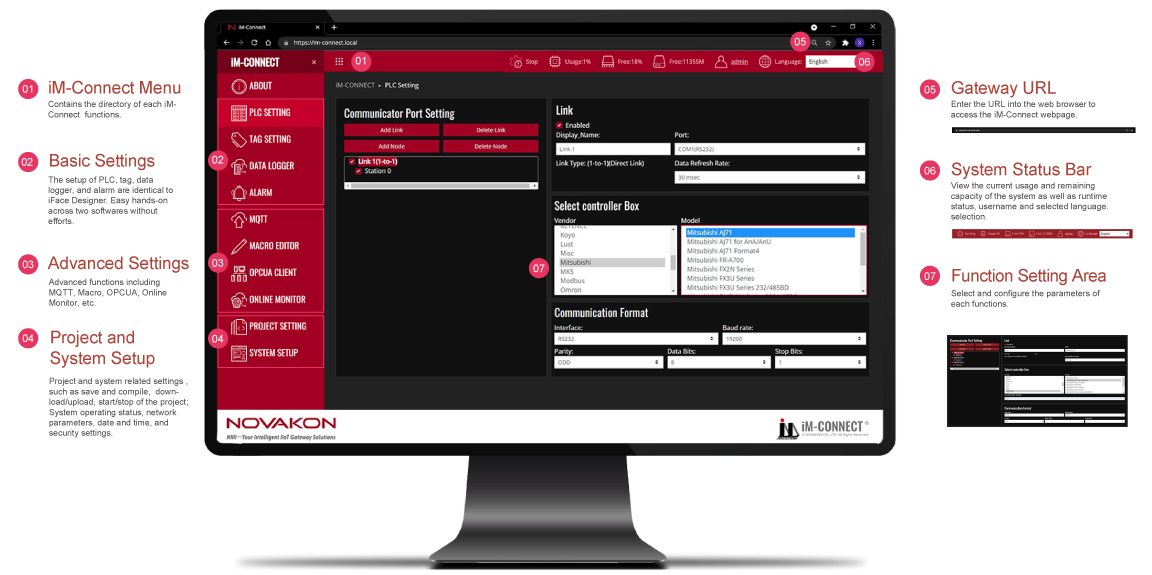
Novakon iM-Connect Web-Based Protocol Gateway Configuration Interface
CONFIGURATION
Centralized Configuration
Manage protocol, device, and communication settings through a single interface.
DATA MAPPING
Data Point Management
Define field data and map it to connections with higher-level systems.
COMMISSIONING
Simplified Commissioning
Simplify the commissioning process by managing gateway settings from a single point.
DATA ACQUISITION · PROTOCOL DRIVERS

Read data from different PLCs, controllers, and data sources through a single gateway.

In addition to broad support for serial and Ethernet-based industrial automation protocols, GW-01 can combine different data sources within the same gateway through OPC UA Client and MQTT Client connections.

OPC UA CLIENT
Read data from OPC UA Servers
MQTT CLIENT
Acquire data from MQTT sources and integrate it into your project
SERIAL COMMUNICATION
RS232 / RS485 Protocols
Agilent
XGS-600 Gauge Controller
Allen Bradley
MicroLogix DF1 RS232
PLC5 DF1 CRC
Animatics
SmartMotor D-style RS232
CPC
cpcTorqueController
CTC
CTC Binary
Delta
DVP v2
ESTIC
Handy2000 Type4
Facon
FB
FBs/FBe
Hitachi
MVH
Jector
Jector Controller
Keyence
KV-1000
KV-L20V Host Link
Koyo Direct
DL Series
Lust
LustBus ServoC/CDE Series
Misc
LedController
Scale
Mitsubishi
AJ71
AJ71 for AnA/AnU
AJ71 Format4
FR-A700
FX2N Series
FX3U Series
FX3U Series 232/485BD
FX/FX2N Series 232/485BD
Q00UJ
QJ71C24 Series
FX Series
Q Series
Servo Amplifier MR-J4-A
MKS
MKS MC700
Modbus
Modbus ASCII Slave
Modbus RTU Slave
Modbus ASCII Slave (Not Optimized)
Modbus RTU Slave (Not Optimized)
Omron
CS/CJ
C (TPM1A, CP1E, CP1L)
Panasonic
FP Series
PBA Systems
MaxTune VarCom with checksum
RGB
RGB LED
Siemens
Simatic S7-200 PPI
TECO
Servo
TP03
AC Servo TSDA Series
Vigor
VB/VH/M Series
VS Series
Yamateke
DCP30
DMC50 v3
NX-D15/25
SDC35
INDUSTRIAL ETHERNET
Ethernet Protocols
Allen Bradley
CompactLogix Ethernet
ControlLogix Ethernet
Micro800 Ethernet
MicroLogix Ethernet
AwiseLink
IPP-Link
BACnet
BACnet/IP
Beckhoff
TwinCAT PLC: Free Tag Names
CODESYS
V3 Ethernet over ARTI
Facon
FBs/FBe TCP
Hitachi
EH/EHV Series TCP
EH/EHV Series UDP
Keyence
KV-5000
KV-8000 / 7500 / 7300
KV-NC1EP
Mitsubishi
FX3U-ENET-ADP
FX5U Ethernet
QJ71E71 Series
QJ71E71 Series (ASCII)
Modbus
Modbus RTU Slave over TCP
Modbus TCP Slave
Modbus RTU Slave over TCP (Not Optimized)
Modbus TCP Slave (Not Optimized)
Omron
FINS TCP
NJ/NX EtherNet/IP
Panasonic
FP TCP
Siemens
ISO on TCP
Toshiba
TMFCD91A
Vigor
VS TCP
VS UDP
YASKAWA
MP2000 Series Extension
MP3000 Series Extension
MP Series Memobus
YOKOGAWA
FA-M3 Series TCP
Supported protocols and drivers are selected according to the device model, communication interface, and project configuration.
DATA DELIVERY · IIoT

Securely transfer collected data to higher-level systems.

GW-01 can deliver data collected from field devices to SCADA, MES, IIoT, database, and custom software systems using different communication methods. Thanks to its built-in data logging structure, data can be retained during communication interruptions and historical records can be transferred to higher-level systems once the connection is restored.

OPC UA SERVER
OPC UA Server + Historical Access
GW-01 can make collected data available to higher-level systems through its OPC UA Server. With Historical Access (HA) support, not only real-time values but also historical data stored by the device can be accessed via OPC UA.
MQTT CLIENT
Send data to IIoT and cloud systems
Collected data can be sent through the MQTT Client to an external MQTT Broker or IIoT platforms. By transferring stored data once the connection is restored, GW-01 helps reduce data loss during communication interruptions.
MODBUS TCP/IP SERVER
Share data via standard Modbus TCP
Data collected on GW-01 can be made available through the Modbus TCP/IP Server and read by SCADA systems, PLCs, or other Modbus TCP clients.
SQL SERVER
Database hosted within GW-01

In SQL Server mode, data is stored directly on GW-01, allowing external systems to connect to the device and access the data whenever required. If the network connection is temporarily interrupted, data logging continues on the device; once the connection is restored, the higher-level system can also access historical data that was unavailable during the interruption.

SQL CLIENT
Direct transfer to an external SQL database

In SQL Client mode, GW-01 can transfer collected data to an external SQL database on the network. This allows production and process data to be integrated directly into a centralized database infrastructure.

BUFFER · DATALOGGER
Protect your data even when communication is interrupted.

GW-01's built-in Buffer / Datalogger structure keeps field data stored directly on the device. If the higher-level system or network connection is temporarily interrupted, data acquisition continues; once the connection is restored, stored historical data can be accessed again or transferred through supported communication methods.

OPC UA Historical Access MQTT SQL Server
Continuous data flow from the field to higher-level systems
GW-01 does more than convert data received from different field protocols; it can also store the data and make it available to higher-level systems through OPC UA, MQTT, Modbus TCP/IP, or SQL infrastructures.
HARDWARE · SPECIFICATIONS

Compact and robust hardware for industrial gateway applications.

GW-01 is a compact protocol gateway designed for continuous industrial operation, featuring a fanless design, isolated power and communication ports, a wide operating temperature range, and a metal DIN-rail enclosure.

PROCESSOR
ARM Cortex-A8
1 GHz
NETWORK
2× 10/100
Ethernet
SERIAL
RS-232
RS-422/485
OPERATING TEMP.
-20°C ... +70°C
System
Processor TI Sitara AM3352 ARM Cortex-A8 · 1 GHz
RAM 512 MB SDRAM · 1 GB optional
Storage 4 GB eMMC · 8 GB optional
Operating System Linux Kernel 3.14
Built-in Software iM-Connect Runtime
Communication
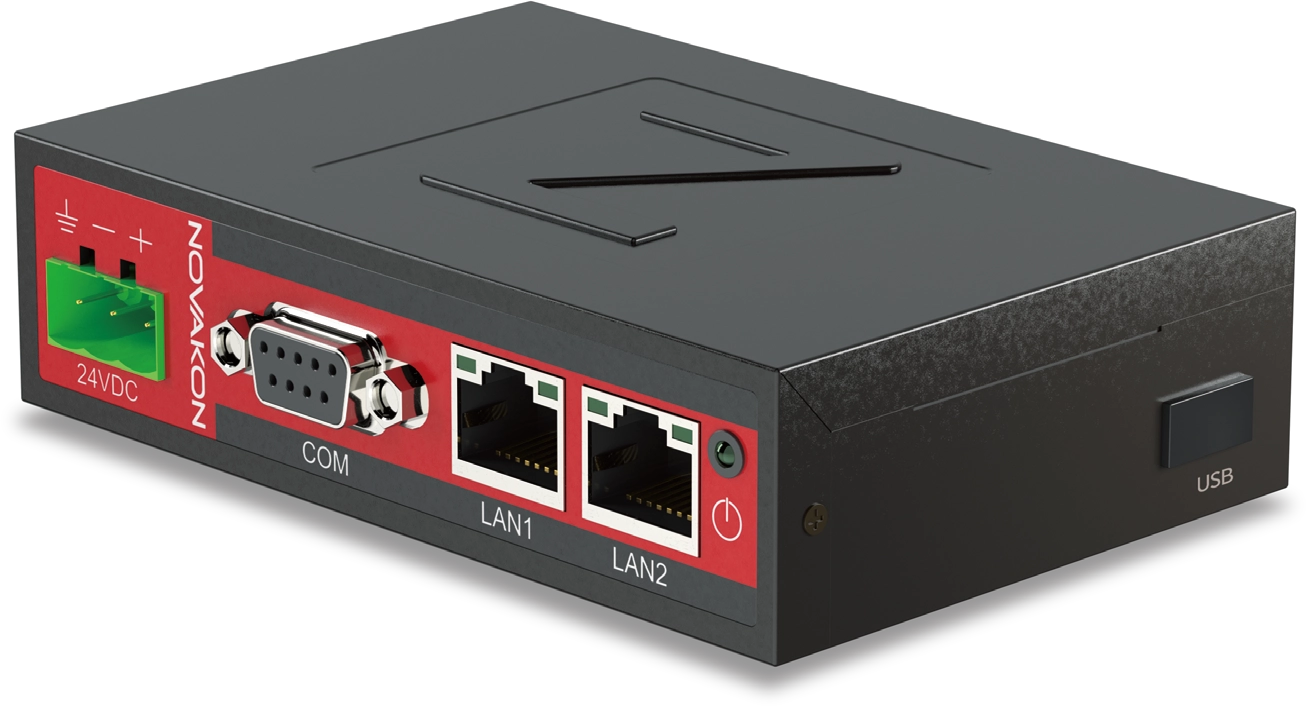
Ethernet 2× 10/100 Mbit Ethernet
Ethernet Architecture 2 independent network ports
Serial Port 1× RS-232 · 1× RS-422/485
USB Host 1× USB Host
Port Isolation Isolated communication port
Electrical & Environmental
Power Supply 19.2 ... 28.8 VDC
Power Isolation Isolated power input
Operating Temperature -20°C ... +70°C
Storage Temperature -20°C ... +80°C
Storage Humidity 10% ... 90% @40°C · non-condensing
PCB Protection Conformal coating
Mechanical & Standards
Dimensions 120 × 85.45 × 31.25 mm
Net Weight 0.45 kg
Enclosure SECC metal
Mounting 25 mm DIN-rail
Cooling Fanless
ESD 4 kV contact · 8 kV air
Certification CE / FCC · Class A
Designed for industrial field conditions
The fanless metal enclosure, conformal coating, isolated power and communication architecture, and -20°C ... +70°C operating temperature range support GW-01's industrial design for continuous operation in control panel and field applications.
DOWNLOADS

GW-01 technical documentation.

You can view and download technical documents for the Novakon GW-01 protocol gateway using the links below.
PDF
GW-01 Hardware DataSheet
Hardware specifications, communication interfaces, and electrical and mechanical technical information.
Open PDF Document →
Demo software downloads will be activated by filling out the form.
Now you can download the following software suitable for you. After clicking the button, the download link of the software will be sent to your e-mail address.
WhatsApp
×
Demo of this product is available.

You can download the free demo to try this product. To access the download form click.