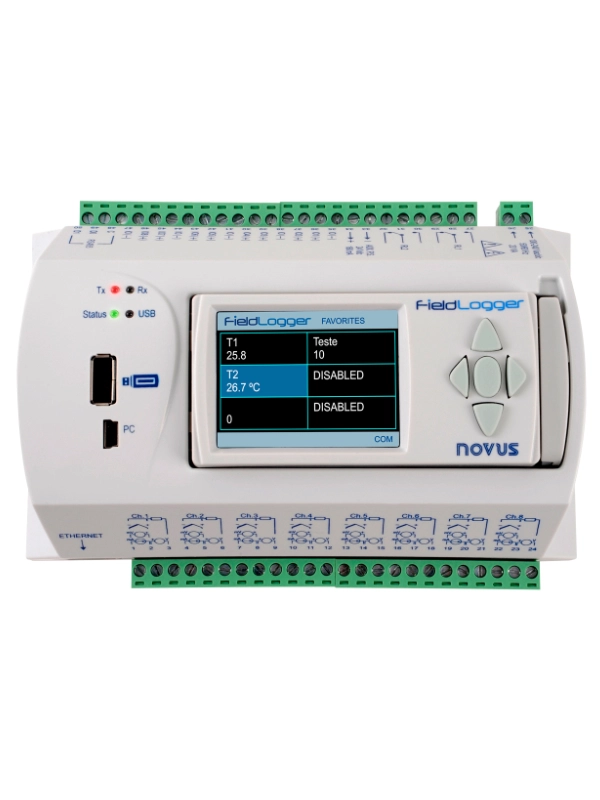
FieldLogger 8-Channel Data Logger
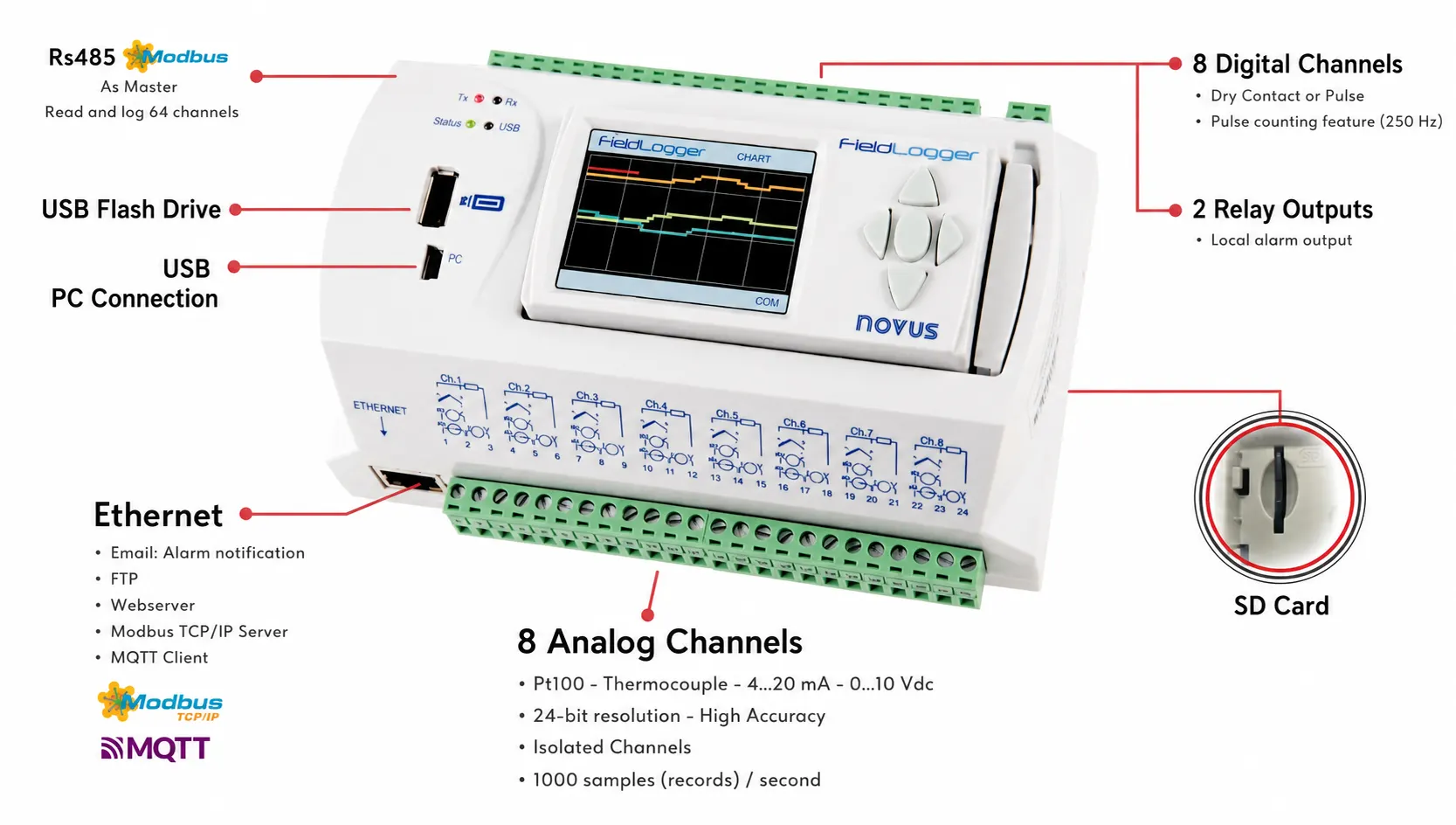
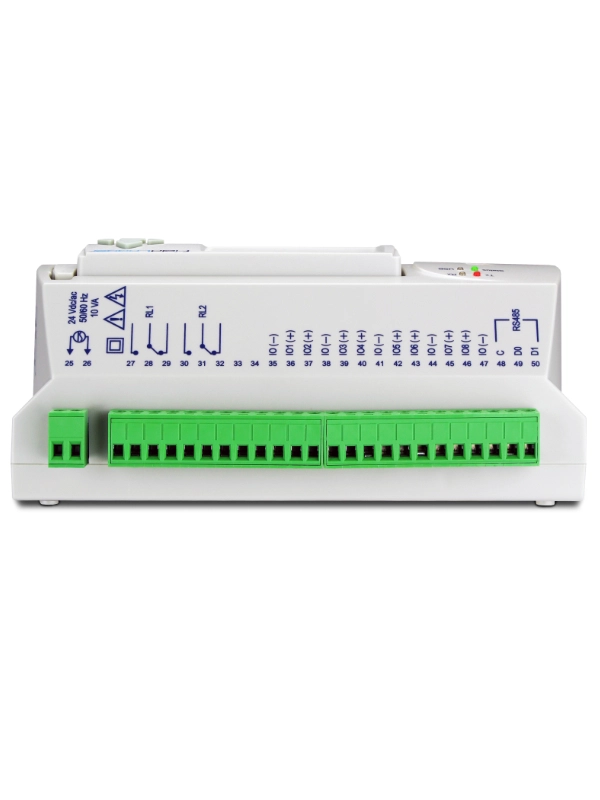
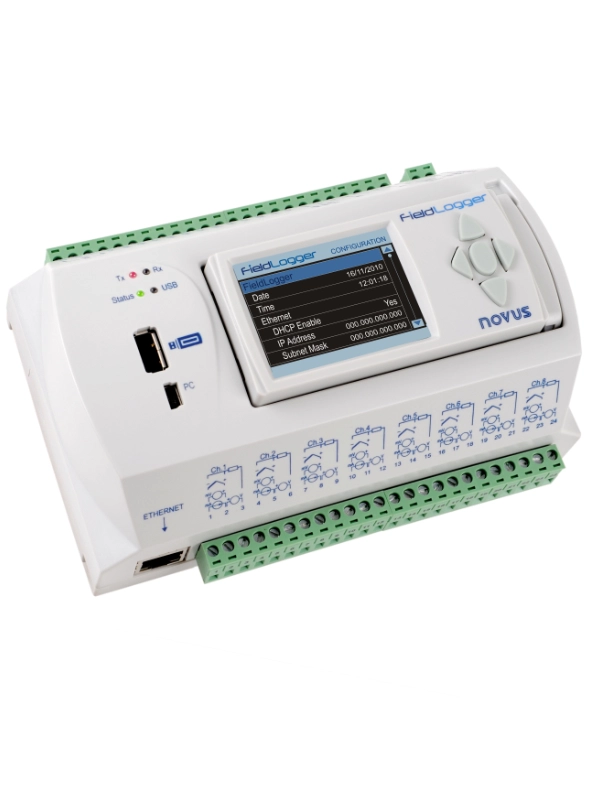
| Number of Analog Input Channels | 8 Channels |
|---|---|
| Analog Input Types | Pt100, Thermocouple, 0/4-20 mA, 0-5 VDC, 0-10 VDC |
| Analog Channel Resolution | 24-Bit - High Accuracy - Isolated Channels |
| Isolation Between Analog Channels and Power Supply | Available |
| Analog Channel Sampling Rate (Total) | 1,000 measurements/second |
| Number of Digital Inputs |
8 Channels ON/OFF status input or pulse counting (250 Hz) |
|---|---|
| Number of Outputs | 2 Relay Outputs |
| Logging Rate | 1,000 recorded measurements/second (total) |
|---|---|
| Logging Memory |
Logging to SD card |
| Port 1 |
USB (Transfer of recorded data to a USB memory stick) |
| Port 2 |
USB (For PC connection) |
| Port 3 |
Ethernet PC Connection: Configuration, Data Monitoring and Data Download Functions:
|
| Port 4 |
RS-485 Modbus RTU Master: Read and record up to 64 Modbus channels, or operate as a Modbus RTU Slave |
Configuration and Data Analysis with Free NXperience Software
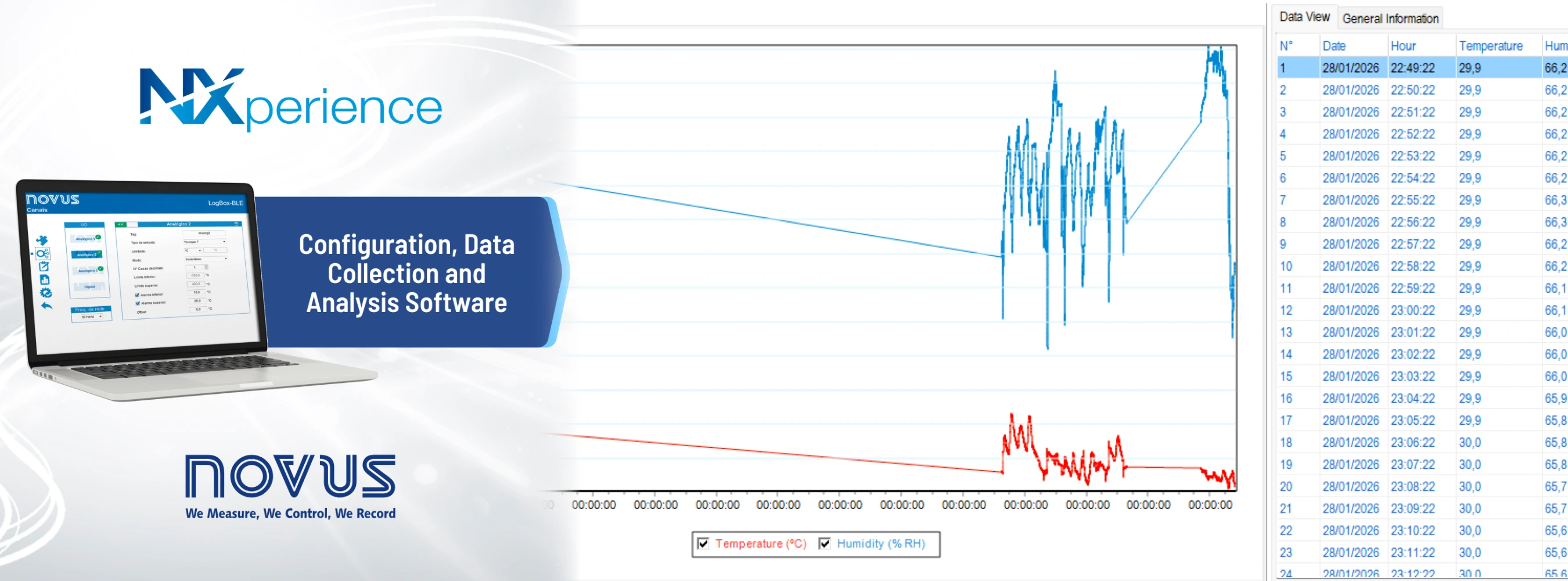
Configuration of the NOVUS FieldLogger and transfer of recorded data to a computer can be easily performed using the free NXperience software provided by Novus Automation. Through the software, you can configure sensor and signal types for analog inputs, channel settings, measurement ranges, logging intervals, logging start and stop conditions, alarm levels and device communication parameters.
Measurement data recorded by FieldLogger can be downloaded to a computer via USB or Ethernet. The collected data can be displayed in tables and charts, analyzed, and used to create customized reports within NXperience. Data can also be exported to PDF, Excel, CSV and other common file formats, making it easy to evaluate information for process monitoring, quality records, energy monitoring, testing and laboratory applications.
NXperience brings together the essential functions required from FieldLogger commissioning to data review and reporting within a single user interface.
Can Mathematical Operations Be Performed Between Analog Channels?
Yes, FieldLogger can perform mathematical operations between channels, display the formula result as a separate virtual channel, record it, and include it in reports. In addition to the four basic arithmetic operations, the available mathematical functions include basic calculations such as square root.
Can Data Be Transferred from the FieldLogger Multi-Channel Data Logger to Other Systems Such as SCADA or PLC?
FieldLogger supports the following methods for sharing data with other systems:
- It can share data through its RS-485 port as a Modbus RTU Slave. Its channels can then be read by a Modbus RTU Master device.
- Through its Ethernet port, it supports Modbus TCP/IP Server and MQTT Client protocols, allowing data to be shared with systems such as SCADA or PLC platforms.