

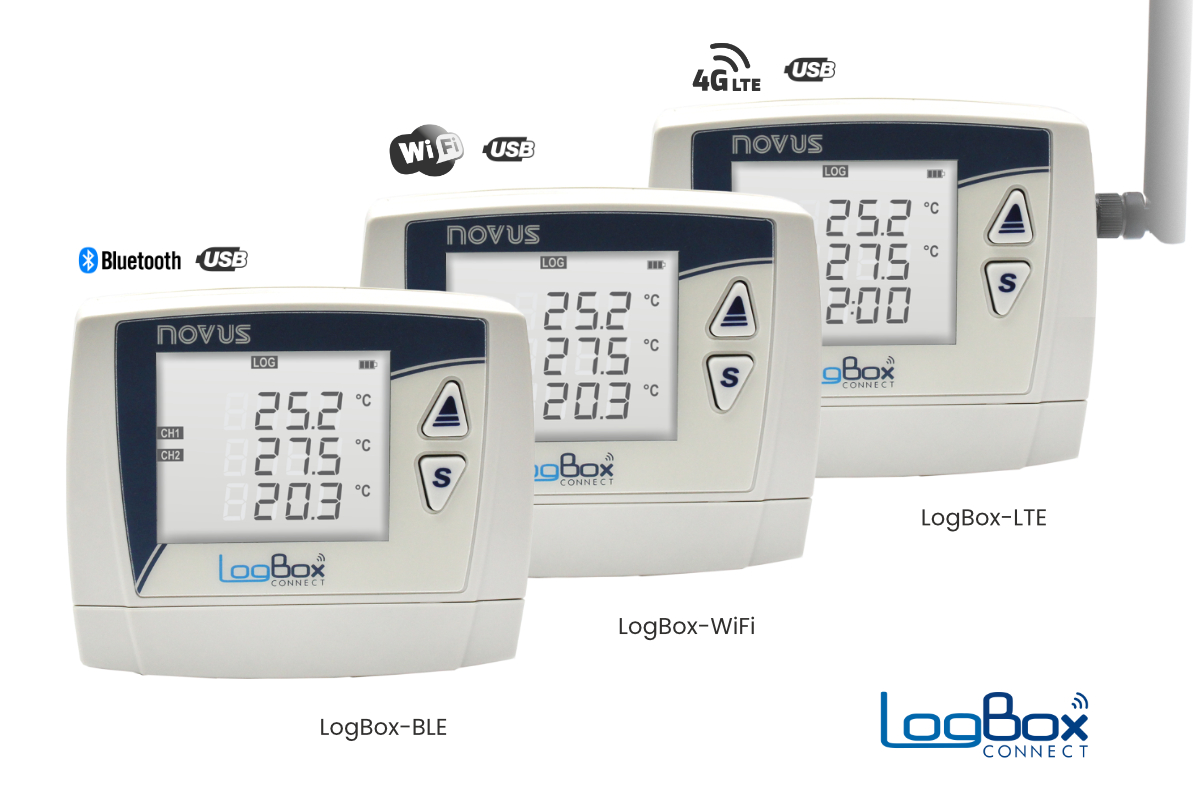
LogBox Connect Datalogger Family
| Models | LogBox BLE | LogBox Wi-Fi | LogBox LTE |
|---|---|---|---|
| Product Images |  |
|
|
| Analog Inputs | 3 Channels | 3 Channels | 2 Channels |
| Input Types | Pt100, Thermocouple, 0-20 mA, 4-20 mA, 0-5 VDC, 0-10 VDC, 0-50 mV | ||
| Digital Input |
1 Channel Dry contact (10 Hz), NPN or PNP (2 kHz) |
||
| Digital Output |
1 DO Channel (Transistor output for alarm applications) |
||
| Logging Interval |
Adjustable from 1 second to 12 hours |
||
| Memory Capacity |
140,000 recorded measurements (total) |
||
| Connection 1 |
Micro USB (PC connection, configuration and report generation) |
||
| Connection 2 |
Bluetooth (Configuration and data download from a mobile phone) |
Wi-Fi (Configuration and data download over the network) |
4G LTE (Remote monitoring) |
| Software Support |
NXperience Configuration and Reporting Software (For iOS, Android and Windows) |
||
| Mounting |
Wall Mount |
Wall Mount |
Wall Mount |
| Battery |
4 x AA batteries (1.5 VDC standard AA batteries) |
4 x AA batteries (1.5 VDC standard AA batteries) |
Rechargeable internal battery (non-replaceable) |
| External Power Supply |
10-30 VDC (The batteries are not consumed while external power is available; the device automatically switches to battery power in the event of a power failure.) |
||
| Built-in Alarm |
Audible alarm function with built-in buzzer (50 dB) |
||
| Operating Temperature & Protection Rating |
-10...+50 °C / IP40 |
||
| Dimensions |
120 x 100 x 40 mm |
||
| Note |
Please refer to the product user manual for more precise and detailed information. |
||
Configuration and Data Analysis with Free NXperience Software
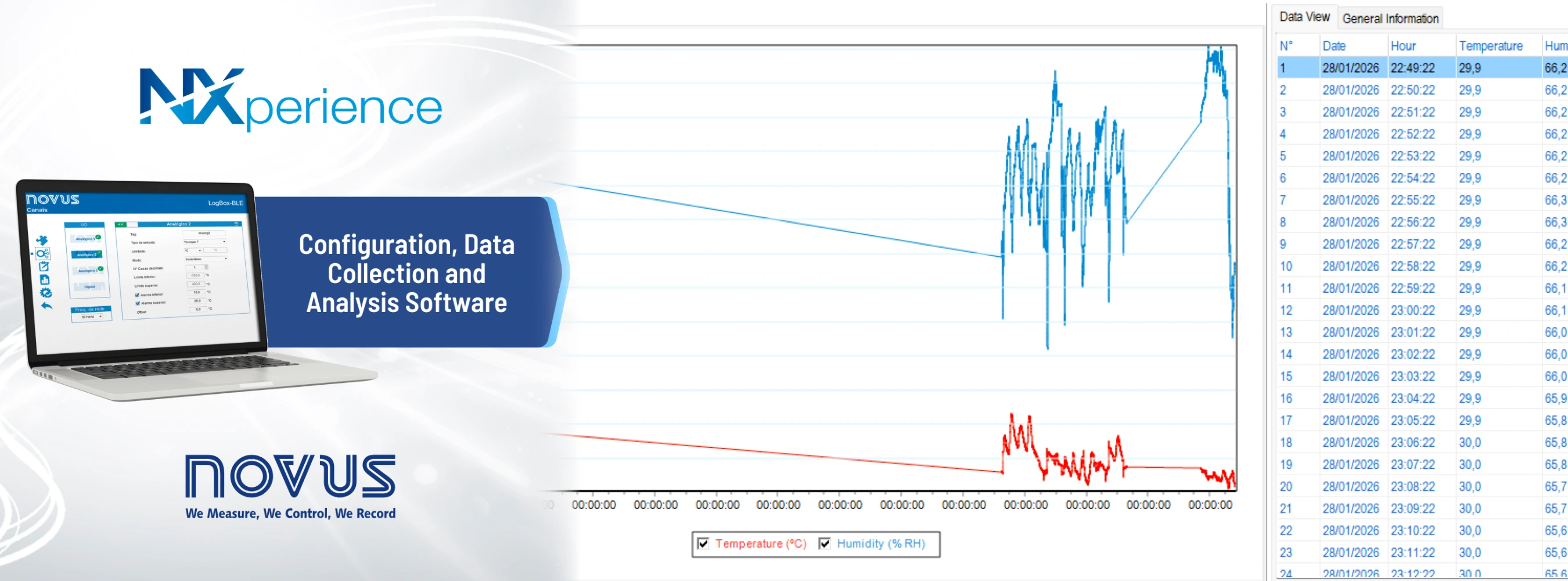
Configuration and evaluation of recorded data for the LogBox BLE, LogBox Wi-Fi and LogBox LTE models in the NOVUS LogBox Connect data logger family can be performed using the free NXperience software provided by Novus Automation. Through the software, analog and digital channels, sensor and signal types, measurement ranges, logging intervals, logging start and stop conditions, alarm levels and device communication parameters can be easily configured.
Measurement data recorded by LogBox devices can be transferred to computers or mobile devices depending on the connectivity features of the model. The collected data can be displayed in tables and charts within NXperience, analyzed, reported and exported to common file formats such as Excel, PDF or CSV.
LogBox BLE and LogBox Wi-Fi models provide convenient mobile access through the NXperience Mobile application available for Android and iOS devices, while LogBox LTE enables remote monitoring and centralized evaluation of measurements from remote locations through mobile communication and NOVUS Cloud support. In this way, NXperience brings together the essential functions required for the LogBox product family, from commissioning and downloading recorded data to analysis and reporting, within a single software ecosystem.

How Do We Configure the LogBox BLE 3-Channel Data Logger?
As mentioned above, when you connect to the LogBox BLE 3-channel data logger either to a computer via USB cable or to your mobile phone via Bluetooth using the free application, you can easily configure settings such as the device and channel names, measurement and logging intervals, sensor type and measurement range.
How Can We Retrieve Data from the LogBox BLE 3-Channel Data Logger?
The LogBox BLE 3-channel data logger supports both USB and Bluetooth communication. Free mobile applications are available for Android and iPhone devices. When you are within approximately 10 meters of the data logger, you can open the application on your mobile phone, connect via Bluetooth and download the data stored in the device memory. The downloaded data can then be shared with others using applications such as email or WhatsApp. You can also view the graphs directly on your phone screen and take screenshots when needed. In addition, you can connect the device to your computer via USB cable and use the free software to download the recorded data, perform more detailed analyses in table and graph formats, export the results to Excel or PDF, and store the records on your computer.
Does the Device Automatically Switch to Battery Power in the Event of a Power Failure?
The LogBox BLE 3-channel data logger has a compartment for 4 AA batteries and can also operate with an external power supply between 10 and 30 VDC. The device includes an adapter input and can be operated using only the batteries or only the external power supply. When both power sources are available, the device operates from the external power supply. In the event of a power failure, it automatically switches to battery power without interrupting the measurement or data logging process.